
Quick verdict
Buildertrend Review 2026: All-In-One Platform With AI Built Into the Workflow
Updated October 13, 2026 – Tested Intelligence
Quick verdict: Buildertrend is the established all-in-one for home builders, remodelers and growing contractors: scheduling, financials and client communication in one system, with AI working inside tools you already use rather than as a separate product. AI Client Updates turn daily logs into homeowner-ready reports, and AI Bill Capture reads bills for you. The catch is opacity – pricing is not public and comes as a quote based on your construction volume.
What it is
Buildertrend, founded in 2006 and based in Omaha, has spent two decades building a single platform that connects every part of a building business – scheduling, budgeting and job costing, client communication, subcontractor coordination and payments. The vendor says more than 20,000 builders run projects on it, a vendor-reported figure that still signals how established the platform is in residential work.
The AI is deliberately embedded. Instead of a standalone chatbot, recent releases put AI inside daily workflows: drafting client updates from your logs, capturing bill data, organising plan sets and generating submittal logs. A September 29, 2026 announcement expanded that list for larger firms, adding AI Submittals and AI Plans, plus Sage Intacct and Bluebeam integrations – a push upmarket into bigger commercial work as well as its residential base.
Key features
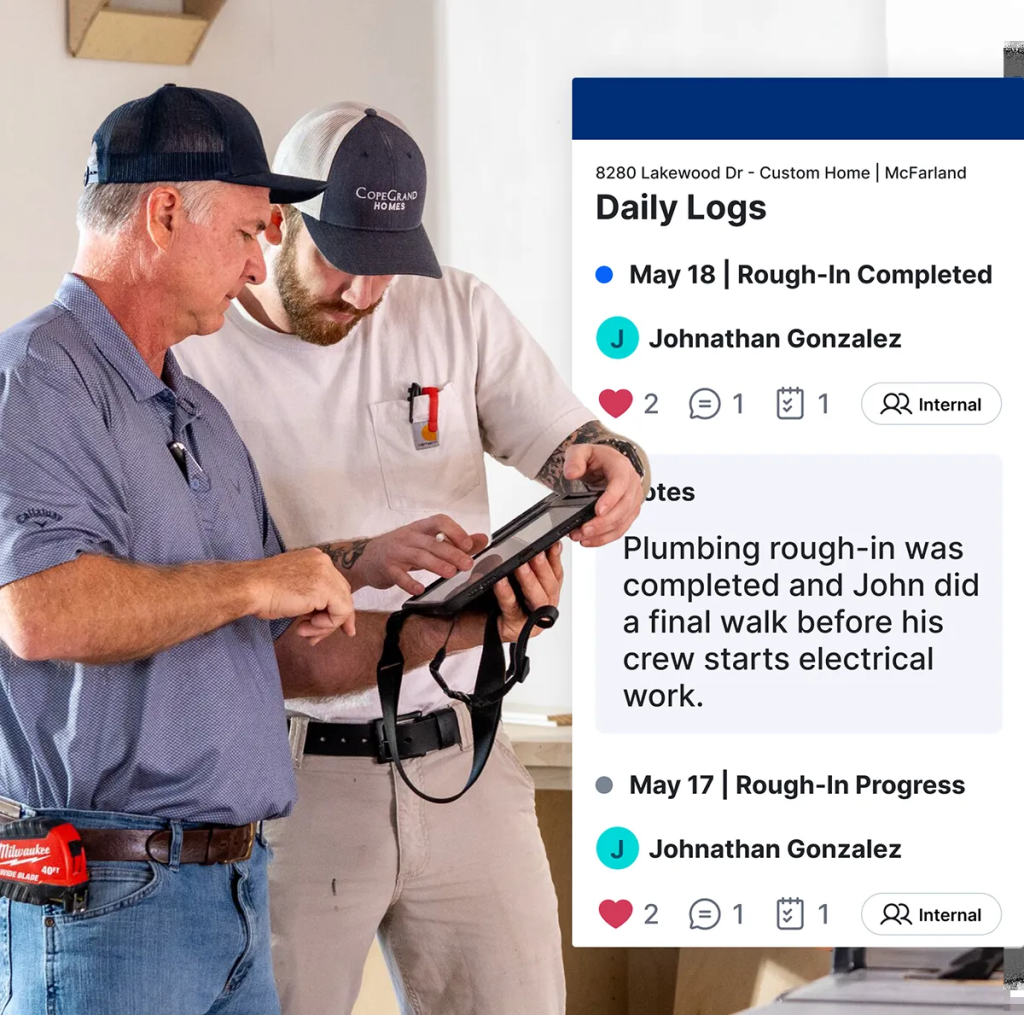
- Scheduling, daily logs, to-do lists and messaging connecting office, field, subs and clients
- AI Client Updates: daily logs become structured, homeowner-ready progress reports for review
- AI Bill Capture: reads vendor details and cost codes from bills inside bill pay, cutting manual entry
- AI Submittals, AI Plans and AI Search (announced September 2026) for submittal logs, plan-set organisation and plain-language record search
- Client and subcontractor portals, selections, change orders, budgeting and job costing, and payments
- Accounting connections including QuickBooks and Xero, with Sage Intacct added in the 2026 expansion
Pricing
Pricing is not public. Buildertrend does not publish standard plan prices on its website; cost is quoted based on factors such as your annual construction volume. Third-party sites publish widely conflicting figures for its tiers, which is exactly why you should not budget from a directory listing: get a written quote, and confirm the contract term, support tier and payment-processing fees (card and ACH charges apply on client payments) before signing.
Who it’s for
Established home builders, remodelers and growing commercial or specialty contractors running several jobs at once, whose pain is disconnected tools – one app for schedules, another for money, email for clients. The client portal and automated updates are the draw for builders whose homeowners expect constant visibility.
Who should skip it
Very small or occasional contractors: the platform’s breadth, onboarding and quoted pricing are aimed at established firms, and the vendor’s own quote process may tell low-volume businesses it is not the best fit. Heavy civil and plan-and-spec commercial teams needing formal CPM controls should also compare specialist scheduling tools.
Pros
- Genuinely broad: schedule, money and client communication in one login
- AI targets real admin pain – client updates and bill entry – inside existing workflows
- Long track record and a large residential user base
- Portals keep clients and subs informed without constant phone calls
Cons
- Pricing is not public, and third-party figures conflict – budgeting needs a sales process
- Breadth means a real learning curve and a multi-week onboarding programme
- Residential-first design may fit plan-and-spec commercial workflows less well
- Payment-processing fees add to the subscription cost – check them in the quote
FAQ
What does Buildertrend do?
It is an all-in-one construction management platform for builders and contractors covering scheduling, financials, client and subcontractor portals, and payments, with embedded AI for client updates, bill capture, submittals and plan organisation.
How much does Buildertrend cost?
Pricing is not public. Buildertrend quotes by business size and annual construction volume, and third-party figures conflict, so request a written quote including support and payment fees.
Is Buildertrend only for home builders?
Residential builders and remodelers are its core, but the September 2026 expansion – AI Submittals, Sage Intacct and Bluebeam integrations – is aimed at larger, more complex commercial and specialty contractors too.
Bottom line
Buildertrend remains the safe, broad choice for established residential builders who want one system and are happy to let AI draft the updates and read the bills. Go in eyes open on price: nothing is published, so the demo and the written quote are where the real evaluation happens.