
Quick verdict
On-Screen Takeoff Review 2026: Digital Takeoff With AI Takeoff Boost
Updated October 13, 2026 – Tested Intelligence
Quick verdict: On-Screen Takeoff (OST) is one of the longest-running digital takeoff tools in preconstruction, and Takeoff Boost is its AI layer: it automates area, linear and count measurements, identifies wall types and creates conditions for you, returning a first pass you review and fine-tune. Pricing is not public on the vendor’s site, and full Takeoff Boost access depends on your maintenance subscription tier, so get the tier in writing before you budget.
What it is
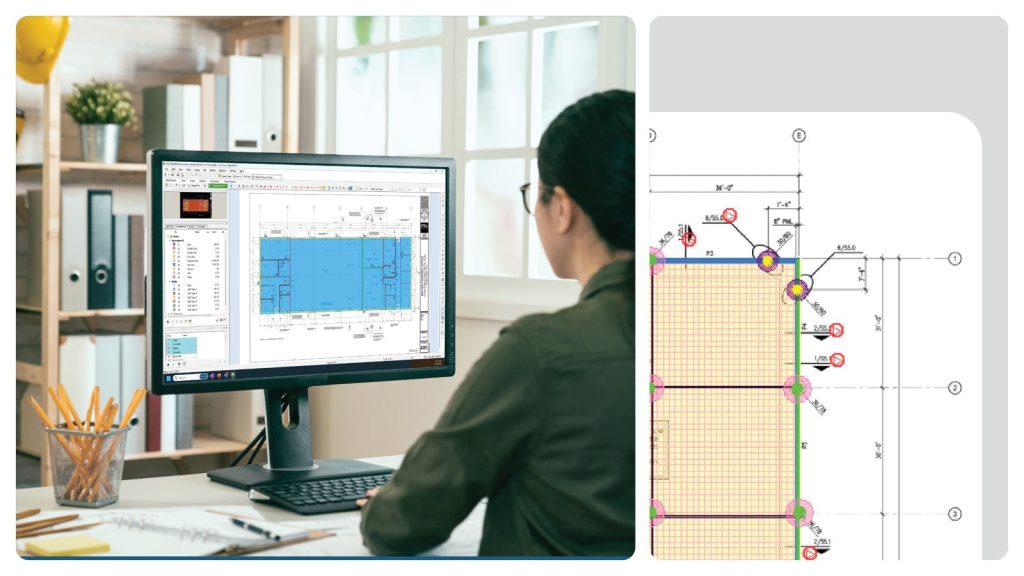
On-Screen Takeoff is ConstructConnect’s digital takeoff software – the product originally from On Center Software, part of the ConstructConnect family since 2016. Estimators load PDF and other plan files, measure lengths, areas and counts on screen instead of on paper, organise the work into conditions, and send quantities into estimating tools such as Quick Bid and other estimating software.
Takeoff Boost, covered on IRONPROS and in ConstructConnect’s own product material, is the AI addition. Instead of starting every sheet blank, the estimator runs Boost and gets an initial takeoff – areas, lengths and counts, with wall types identified and conditions created automatically – then reviews, corrects and prices it.
Key features
- Takeoff Boost AI: automates area, linear and count takeoff and identifies wall types, creating conditions automatically
- Vendor says initial Boost results can arrive in as little as 30 seconds, ready for review and fine-tuning
- Multi-Condition Takeoff: select several conditions and draw them at once to complete a room in fewer clicks
- Typical Areas, Groups and Repeating Pages tools for repetitive floors and sections
- Auto Name to rename plan pages automatically, plus overlay to compare drawing versions
- Integration with Quick Bid and other estimating software, and sharing of takeoffs across a team
Pricing
Pricing is not public. ConstructConnect describes pricing as varying by licensing and business needs, with a free 14-day trial, and lists no rate. Directory listings are inconsistent: SelectHub, a software directory, lists it from $15 per user per month – directory-sourced only, not a vendor price. What is clear from ConstructConnect’s Boost pages is the gating: the Advanced maintenance tier includes Takeoff Boost Lite (up to 15 runs per licence) and the Premium tier gives full, unlimited Boost access. That distinction matters more than any headline price.
Who it’s for
Commercial GC and subcontractor estimating teams doing high volumes of 2D takeoff who want an established, structured tool – and who will use the AI as a first pass rather than expecting a finished estimate from it.
Who should skip it
Teams wanting a fully cloud, browser-first workflow, or a service that returns a completed takeoff for them, will find OST’s desktop-and-maintenance model old-fashioned. Solo estimators with occasional bids may not run enough takeoffs to justify the Premium tier that unlocks unlimited Boost.
Pros
- Long track record in commercial takeoff, with mature multi-condition and typical-area tools
- Takeoff Boost gives a real head start on repetitive measuring instead of a blank sheet
- Every AI result stays reviewable and editable inside the same tool
- Connects takeoff to Quick Bid and the wider ConstructConnect preconstruction suite
Cons
- Pricing is not public, and directory figures should not be trusted as your quote
- Full Takeoff Boost needs the Premium maintenance tier; Advanced is capped at 15 Boost runs per licence
- Boost is a head start, not a finished takeoff – review time still belongs in your bid plan
- Desktop-centred product in a market moving to browser-based takeoff
FAQ
What is Takeoff Boost?
Takeoff Boost is On-Screen Takeoff’s AI feature. It automatically measures areas, lengths and counts, identifies wall types and creates conditions, producing an initial takeoff the estimator reviews and fine-tunes.
How much does On-Screen Takeoff cost?
Pricing is not public. The vendor offers a 14-day free trial and quotes by licence and business needs. A directory listing puts it from $15 per user per month, but that figure is directory-sourced only – get a vendor quote.
Does On-Screen Takeoff include estimating?
OST is a takeoff tool. Quantities flow into Quick Bid and other estimating software for pricing, rather than OST pricing the bid itself.
Bottom line
On-Screen Takeoff is the safe, established pick for commercial takeoff, and Takeoff Boost makes its first pass much faster – as long as you buy the maintenance tier that actually includes unlimited Boost, and you go in knowing the price only arrives with a quote.