
Quick verdict
Verdict up front: VEED is the fastest way for a non-editor to turn raw footage into a finished, subtitled, on-brand video without installing anything. Its auto-subtitles are the headline, but the real product is a full browser studio — AI avatars, dubbing, eye-contact correction, and cleanup tools included. Paid plans start at $12/month billed annually; the free plan is for testing only, because every export carries a watermark.
What does VEED actually do?
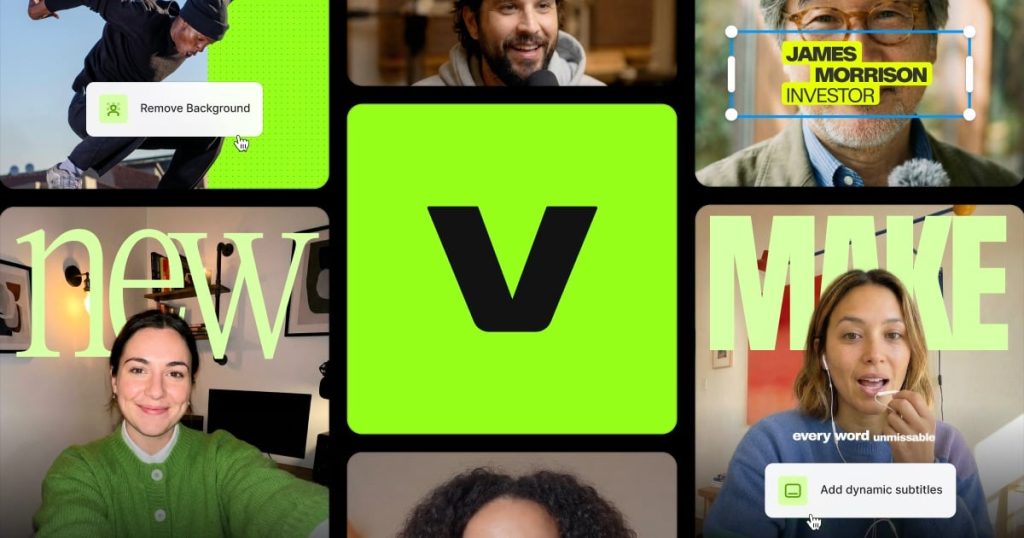
VEED is an online video editor that runs entirely in the browser. You upload footage (or record in the app), edit on a simple timeline, and export — no software install, and projects live in the cloud so a teammate can pick up where you left off. Layered on the editor is an AI toolkit: automatic subtitles with translation, AI avatars and text-to-video generation, video dubbing into 50+ languages on higher plans, eye-contact correction that makes it look like you faced the camera, background removal, and one-click audio cleanup. A stock media library and brand kits round it out for teams publishing on a schedule.
How much does VEED cost?
| Plan | Price | Key points |
|---|---|---|
| Free | $0 | Watermark on exports, 720p, 10-minute video cap, 2GB storage |
| Lite | $12/mo billed annually ($19 monthly) | No watermark, 1080p exports, longer videos, premium templates |
| Pro | $24/mo billed annually ($49 monthly) | Full AI suite: avatars, text-to-video, dubbing, 4K export, full brand kit |
| Enterprise | Custom | SSO, custom avatars, multiple brand kits, dedicated support |
One billing wrinkle to plan around: premium AI features such as avatars and dubbing draw on AI credit allowances rather than being truly unlimited, and those allowances do not roll over. Heavy AI use can exhaust them before the cycle ends.
What are VEED’s strengths?
- Best-in-class auto-subtitles. Fast, accurate captioning with styling and translation is the feature most users arrive for — and it holds up as the reason to stay.
- Everything in one tab. Editing, subtitles, avatars, dubbing, stock footage, and brand kits without round-tripping files between apps.
- Genuinely approachable. A first-time user can go from raw clip to published short in one sitting; nothing about the interface assumes editing experience.
- Team-friendly. Shared projects, comments, and brand kits make it a practical choice for small marketing teams, not just solo creators.
- No install, any machine. It runs the same on a Chromebook as on a workstation.
What are VEED’s weaknesses?
- The free plan is a demo. Watermarked 720p exports capped at 10 minutes are fine for evaluation and useless for published work.
- Cloud-only cuts both ways. Weak internet means laggy editing and slow uploads, and there is no offline mode at all.
- AI credit math is opaque. Avatars, dubbing, and generation consume allowances that can run dry mid-month, making heavy-use costs hard to predict.
- Not a Premiere replacement. Long-form, effects-heavy, multi-cam timelines still belong in a desktop editor.
Who is VEED for?
Social media managers and solo creators publishing captioned short-form video every week; marketing teams that need consistent branding across many quick videos; educators and businesses dubbing content into other languages. It is the wrong tool for filmmakers, offline editors, and anyone whose projects routinely run past an hour of timeline.
Frequently asked questions
Is VEED free to use?
Yes, with limits: exports are watermarked, capped at 720p and 10 minutes, with 2GB of storage. Removing the watermark requires Lite at $12/month billed annually or higher.
Can VEED translate and dub my videos?
Yes. On Pro, AI dubbing translates videos into 50+ languages with matched voice audio, and subtitles can be translated on paid plans. Dubbing consumes AI credits, so check your allowance.
Does VEED work offline?
No. VEED is entirely browser- and cloud-based, so editing, rendering, and exporting all need a stable internet connection.
Is VEED better than CapCut or Descript?
For browser-based team workflows and subtitle speed, VEED is the stronger pick. CapCut wins on free mobile editing; Descript wins on text-based editing of long interviews and podcasts. They solve adjacent problems.
Our verdict
VEED has quietly become the default recommendation when someone says “I need to post captioned videos but I am not an editor.” The pricing is fair at Lite, the AI suite on Pro is genuinely useful rather than decorative, and the only real cautions are the credit allowances and the cloud dependency. For weekly short-form publishing, it earns its subscription.
Prices checked October 11, 2026.