
Akiflow Review 2026: The Keyboard-First Planner for Scattered Task Lists
TL;DR: Akiflow pulls tasks from Slack, Gmail, Todoist, Asana, Notion, and more into one universal inbox, then lets you drag them onto your calendar as time blocks. An AI assistant (Aki) and a hosted MCP server let Claude or ChatGPT plan with you. There’s no free plan — just a 7-day trial that requires a card — and Premium runs $34/month ($19/month on annual billing). Best for professionals whose work arrives in ten different apps and who like planning their own day; too expensive and too manual for everyone else.
What Akiflow actually does
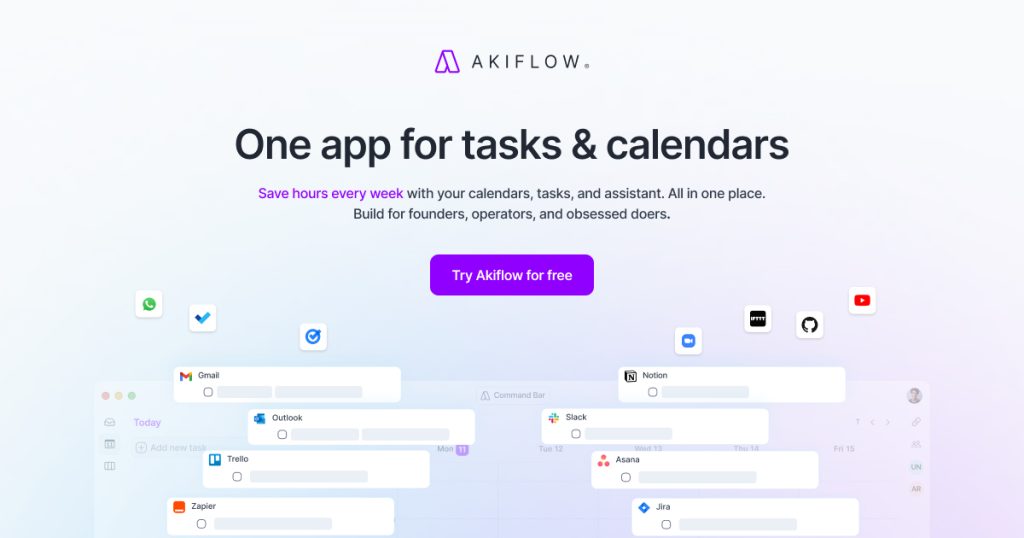
Akiflow is built around a single workflow: capture everything, then schedule it deliberately. Tasks flow in from Slack, Gmail, Notion, Todoist, Asana, ClickUp, Jira, Linear, Trello, GitHub, and Zapier into one universal inbox — with two-way sync, so completing a task in Akiflow marks it done in the source app. You then drag tasks onto your calendar (Google Calendar or Outlook) as time blocks, turning a list of intentions into a reserved schedule.
The 2026 additions are AI-flavored: Aki, an AI assistant that can plan and capture tasks, reachable in the app and even by email or WhatsApp; AI auto-scheduling that slots tasks into open time; and a hosted MCP server (live since June 2026) with 19 actions across tasks, calendar, and time slots — so Claude, ChatGPT, or Cursor can read and manipulate your planner. A command bar keeps everything keyboard-driven, and share-availability links handle the meeting-booking side.
Akiflow pricing in 2026
Prices checked Oct 9, 2026. One paid tier, no free plan:
| Plan | Price | What you get |
|---|---|---|
| Free trial | $0 (7 days, card required) | Full access: all integrations, AI scheduling, universal inbox |
| Premium (monthly) | $34/month | Unlimited tasks and time blocks, all integrations, Aki assistant, MCP access |
| Premium (annual) | $19/month ($228/year) | Same as monthly — a 44% discount for committing |
| Teams | Custom | Shared workspace, admin controls, SSO, onboarding |
The AI Meeting Assistant (transcription and summaries) is a separate $19/month add-on — it’s not included in Premium. And the seven-day trial requires a credit card, so set a cancellation reminder if you’re just evaluating.
Pros and cons
Pros:
- Best-in-class integration breadth: one inbox for Slack, Gmail, Notion, Todoist, Asana, and more, with two-way sync
- Keyboard-first command bar makes capture and scheduling genuinely fast
- Aki assistant plus the hosted MCP server let AI agents plan alongside you
- You stay in control — deliberate planning, not an algorithm rearranging your day
- Google Calendar and Outlook support covers both ecosystems
- Annual billing nearly halves the monthly sticker price
Cons:
- No free plan — 7-day trial only, and it requires a credit card
- $34/month is the priciest monthly rate among the AI planners
- AI Meeting Assistant costs an extra $19/month on top
- Manual philosophy: if you want AI to auto-plan everything, Reclaim or Motion fit better
- Some users report it’s hard to cancel — set a reminder before the trial ends
- Setup takes real effort: integrations and rituals need configuring before it pays off
Where it falls short
Akiflow asks you to do the planning work yourself, faster. That’s a feature for control freaks (affectionate) and a bug for everyone else. Motion’s whole pitch is that you shouldn’t have to decide when things happen; Reclaim’s is that focus time should defend itself. Akiflow’s is that you’ll make better decisions with everything in one fast inbox. Honest assessment: if your task list lives in three or more apps and you enjoy the ritual of planning, it’s superb. If your work lives in one app already, you’re paying $34/month for an inbox you don’t need.
Who it’s for
Akiflow is built for professionals whose work arrives in ten places — consultants, PMs, founders juggling tools — who love keyboard workflows and want deliberate control over their schedule. It’s not for budget-conscious planners (Sunsama is cheaper), for people who want full AI auto-scheduling (Motion, Reclaim), or for anyone whose tasks already live happily in one app.
Verdict
Akiflow is the best manual planner in the AI-planner category: unmatched integrations, real speed, and AI that assists rather than overrides. The price is the whole argument against it. Take the 7-day trial, connect everything on day one, and by day five you’ll know whether the inbox-to-calendar ritual is worth $19–34 a month. If you’re still on the fence at day seven, that indecision is your answer.
Frequently asked questions
How much does Akiflow cost?
$34/month on monthly billing or $19/month ($228/year) on annual billing. There is no free plan — only a 7-day free trial that requires a credit card. The AI Meeting Assistant add-on is $19/month extra.
Is Akiflow free?
No. Akiflow has no free tier; new users get a 7-day free trial with full access, after which Premium billing starts.
Akiflow vs Motion vs Sunsama: which should I pick?
Pick Akiflow if your work arrives in many apps and you want fast, deliberate manual planning. Pick Motion if you’d rather AI build the schedule for you. Pick Sunsama if you want the calmest, cheapest daily-planning ritual. All three now have AI assistants and (for Akiflow and Sunsama) MCP servers.
Does Akiflow work with Claude or ChatGPT?
Yes — Akiflow’s hosted MCP server (live since June 2026) exposes 19 actions across tasks, calendar, and time slots, so Claude, ChatGPT, Cursor, and other MCP clients can read and manage your planner.