
Quick verdict
Bottom line: Pax is Pydantic’s official coding agent for the terminal, released in beta on November 25, 2026 as the package pydantic-ai-pax. Everything in it is a plugin — including the coding agent itself — it runs any model, and a –agent flag lets you run your own Pydantic AI agent inside it. Pax itself is free to install from PyPI; you pay only for the model tokens it uses. It is the most interesting new terminal agent for Python teams already building on Pydantic AI, and a credible, cheaper rival to Codex and Claude Code for everyone else.
What is Pax?
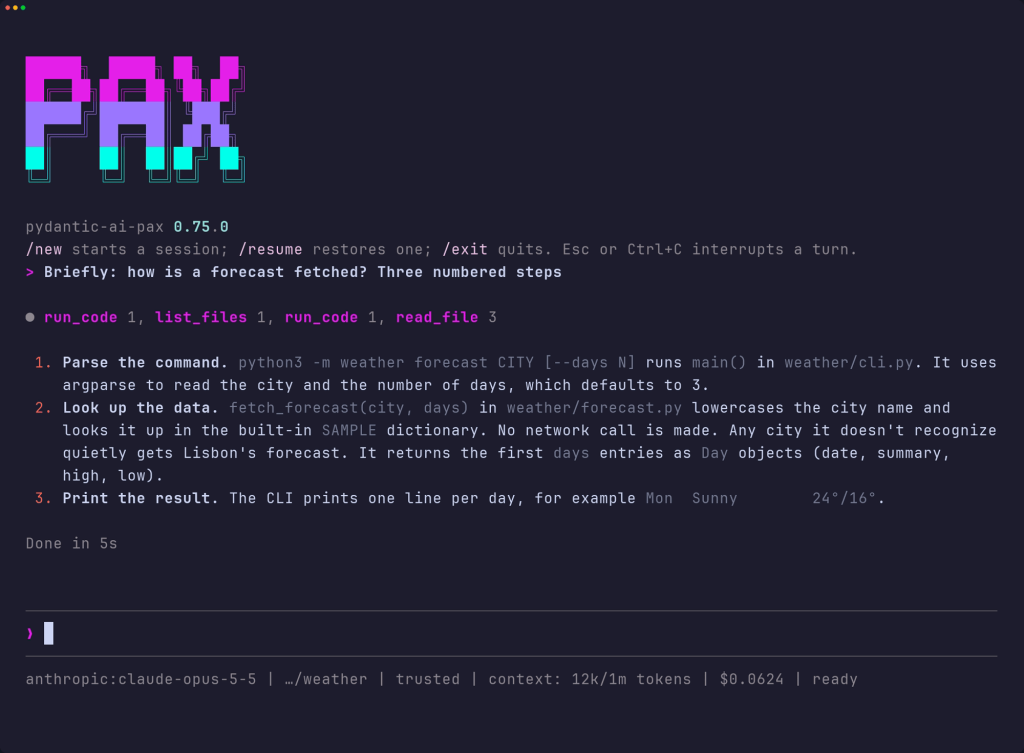
Pax is the terminal UI in front of Coder(), the coding harness in the Pydantic AI Harness SDK. Install it with uv tool install pydantic-ai-pax, or try it without installing via uvx pydantic-ai-pax. By default it loads the stock coding agent with file and shell tools, code mode turned on (the model writes short Python snippets to search and read files instead of shuffling tool results), and speculative execution that starts safe file reads while the model is still streaming. It reads your existing AGENTS.md and CLAUDE.md repo setup and loads Agent Skills from .agents/skills and .claude/skills, and /resume can show and import your existing Claude Code and Codex sessions.
Everything is a plugin
Open /plugins and you can toggle coder, sandbox, observability (Pydantic Logfire tracing), mcp and the rest on or off. Disable coder and Pax becomes a clean chat client with no file or shell tools. Any Pydantic AI capability works as a plugin by its import path, and Pax can even write new plugins for itself when asked. Sessions can swap where they run before the first prompt — /sandbox e2b, boxd, daytona, modal and others for cloud sandboxes, or local smol or BoxLite micro-VMs — and on proxy-enabled providers your GitHub token never enters the sandbox.
Bring your own agent with –agent
The feature no rival terminal agent matches: pax –agent my_agents:reviewer replaces the stock agent with any Pydantic AI Agent from your own codebase, with its own model, tools and instructions, while keeping the full terminal experience (–resume, –worktree, -p, -m). Build an agent in your repo, test it in a real terminal, and ship the exact same Agent object in your service.
What the announcement doesn’t make obvious
Two things. First, the benchmark lead is narrow and single-run: on Pydantic’s Harness-Bench SWE81 (81 tasks, eight models, single runs from November), Pax averaged 58.5, just ahead of OpenCode at 58.2, deepagents-code at 57.6 and pi at 57.3 — and pi was cheaper, $6.47 a run to Pax’s $7.69. The stronger claim is cost against the native harnesses: on GPT-6.2 Sol, Pax scored 64.7 at $9.21 a run versus Codex at 60.1 for $21.05 — less than half the cost. Second, a practical gotcha from Pydantic’s own docs: macOS ships an unrelated /bin/pax archiver, so after installing, the pax command may not start Pax until you open a new terminal or run pydantic-ai-pax directly. Also note Pax is beta — the Harness heads to 1.0 in about a month, and durable execution is in the Harness SDK but not in Pax yet.
Pricing at a glance
| Item | Cost | Notes |
|---|---|---|
| Pax (pydantic-ai-pax) | Free | Install from PyPI via uv; beta |
| Model usage | Pay per token | Any model from any major provider; your own keys |
| Example run cost (SWE81, GPT-6.2 Sol) | $9.21/run | Pydantic’s single-run benchmark; Codex cost $21.05 |
Strengths
- Everything is a plugin, including the coding agent itself — strip it down or extend it freely
- Runs any model, and –agent runs your own Pydantic AI agent unchanged
- Strong cost efficiency in Pydantic’s SWE81 runs: under half of Codex’s cost on GPT-6.2 Sol
- Cloud and local sandbox swapping, session import from Claude Code and Codex, and Logfire tracing of every tool call
Weaknesses
- Beta software; the Harness API is not frozen until the 1.0 release in about a month
- Benchmarks are Pydantic’s own single runs — the score lead over OpenCode is 0.3 points
- Computer use is not in Pax yet; it is promised for the next release
- Best value lands for Python/Pydantic AI teams; others face a learning curve
How does Pax compare?
Unlike editor-based agents such as Cursor, Pax lives entirely in the terminal and treats the agent itself as replaceable. Against autonomous engineers like Devin it is a tool you drive, not a service you delegate to, and against open-source agents like OpenHands its edge is the plugin system and the Pydantic AI ecosystem behind it.
Who is it for?
Python developers, especially teams already using Pydantic AI, who want one terminal agent that can run any model — or their own agent. If you want a polished, stable, vendor-supported tool today, wait for the 1.0 release.
Frequently asked questions
Is Pax free?
Yes — Pax is free to install from PyPI. You pay only for the model tokens it uses with your own provider keys.
How do I install Pax?
Run uv tool install pydantic-ai-pax to keep it, or uvx pydantic-ai-pax to try it without installing.
Can Pax run my own agent?
Yes. Point it at any Pydantic AI Agent with –agent, for example pax –agent my_agents:reviewer, and Pax runs it as-is with no plugins loaded.
Does Pax work with Claude Code or Codex sessions?
Yes. /resume shows existing sessions, and pax –resume-claude or pax –resume-codex imports one so you can continue on any model.
Verdict: The most hackable terminal coding agent yet, with benchmark costs that embarrass Codex on the same model. Beta rough edges are real, but for Pydantic AI users this is an easy try — it costs nothing to install.