
Quick verdict
AddToChat Review 2026: The Free AI Sales Assistant That Adds to Cart Inside the Chat
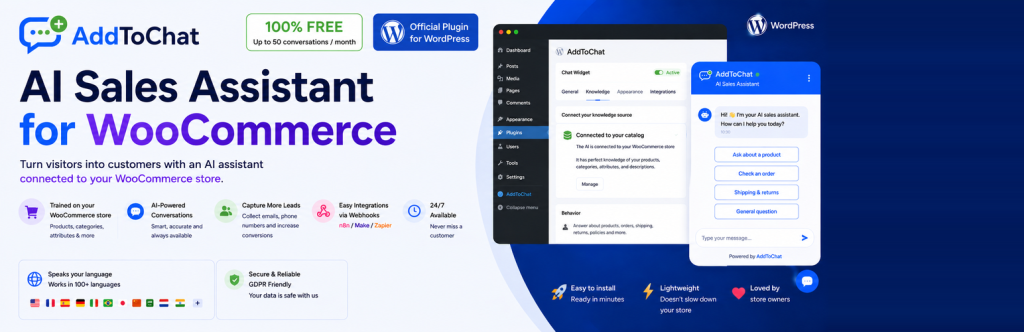
AddToChat is a cloud AI sales assistant for WooCommerce that recommends products from your live catalog using semantic search, adds them to the cart without a page reload, captures emails mid-conversation and escalates to a human support ticket when it should not guess. The WordPress.org plugin is at version 1.4.0, updated May 2026, requires WordPress 6.0 or higher, WooCommerce 8.0 or higher and PHP 8.0 or higher, and is HPOS compatible. There are no reviews for the plugin on WordPress.org yet, so this is an early-stage product — but its pricing is unusually transparent: a free plan with 50 conversations a month and no credit card, then paid tiers priced in euros on the vendor’s own homepage, from €29 a month.
What it is
AddToChat is not a generic website chatbot pointed at a store. The plugin connects your WooCommerce store through the REST API, synchronizes your entire product catalog — products, categories, prices, stock and variations — and keeps it current with real-time webhooks whenever you add, update or remove a product. It also scans your site content to seed a knowledge base, which you can extend with custom entries for shipping policies, returns, FAQs and brand information. Shoppers then talk to a widget that answers from that catalog and knowledge base rather than from a language model’s general knowledge.
The widget shows up in four places, which the vendor calls four sales moments: a home tab with quick questions and recommendations, a proactive product-page card showing the product, its price and common questions, a cart-recovery surface that nudges and captures email when buying intent is high, and a support surface that opens a human ticket with the full conversation attached when the AI should not answer alone. The bot’s name, tone (friendly, formal or expert), welcome message and business rules are configurable, as are the widget’s brand colors, position and display delay. The AI converses in any language; the admin interface is in English, French, Spanish and German.
Key features
- AI product recommendations. Semantic search with AI embeddings across the whole catalog, answering questions about sizing, materials and availability, with upsell and cross-sell suggestions.
- One-click add to cart. Recommended products go into the WooCommerce cart directly from the chat window, with no page reload — including variable products with their specific prices, stock status and attributes.
- Automatic catalog sync. Real-time webhook sync, plus product data enrichment from ACF fields, GTIN and brand attributes, and SEO data sync from Yoast SEO or Rank Math.
- Email and lead capture. The bot captures visitor emails naturally during conversations, feeding a built-in contacts and CRM layer with segments, conversation history and revenue attribution.
- AI-driven promotions and email sequences. The bot can auto-generate unique promo codes during conversations, and run cart abandonment recovery and welcome email sequences.
- Escalation and integrations. Support tickets are auto-created when the AI cannot resolve an issue, and webhooks connect Make, Zapier, Slack and Discord.
Pricing
Pricing is published on the vendor’s own homepage, in euros. Free is €0 with 50 conversations a month, the chat widget, base AI, email capture and the knowledge base, with no credit card required. Starter is €29 a month for 500 conversations a month, 500 emails a month, simple segmentation and priority email support. Growth is €79 a month for 2,000 conversations a month, the CRM and segmentation layer, three email sequences, AI promotions and product notifications. Pro is €199 a month for 10,000 conversations a month, API and webhooks, advanced rules and unlimited sequences.
What the pricing page doesn’t make obvious: the tier you need is set by features most stores will want early, not by conversation volume alone. Removing AddToChat’s branding is a Growth feature at €79 a month — Starter stores run a branded widget. The “Premium AI” is Pro-only at €199 a month, so every cheaper tier, including the free plan’s “Base AI”, runs the standard model. And Starter’s email allowance is capped at the same 500 a month as its conversations, so a store that captures leads faster than it chats can hit the email ceiling first. Prices are also quoted in euros, which US stores should budget for as a moving exchange-rate cost rather than a fixed dollar price.
Who it’s for
- Small WooCommerce stores with no support team — the free plan covers a real test: catalog-grounded answers, add to cart and email capture for the first 50 conversations a month.
- Stores losing sales at the product page — the proactive product card and in-chat add to cart attack hesitation at the exact moment it happens, rather than in a follow-up email.
- Merchants who want selling before helpdesk features — promo codes, upsells and cart recovery are sales tools first; ticket escalation is the safety net, not the headline.
What to watch out for
- Your data leaves your server. The WordPress.org listing states plainly that the plugin sends product catalog data, customer interactions (chat messages) and page context to the AddToChat API for processing, and the widget itself loads from AddToChat’s CDN. Stores with strict data-residency or privacy requirements should read the vendor’s terms and privacy policy before installing.
- No track record yet. Version 1.4.0, no WordPress.org reviews, and a small public footprint — maintenance pace and support quality are unproven, however tidy the feature list looks.
- 50 conversations is a ceiling, not a cushion. A busy product launch can burn the free month in days; the jump to keep the widget live is €29 a month, every month.
- Research-based review. Based on the vendor’s WordPress.org listing and its own homepage pricing; not installed on a live store ourselves.
Pros
- A genuinely free starting tier — 50 conversations a month, no credit card — on a chatbot that can actually add products to the cart.
- Catalog sync is automatic and webhook-driven, including variations, stock, ACF fields and SEO plugin data.
- Sales features rivals often bolt on: AI promo codes, upsells, cart recovery sequences and revenue attribution in the dashboard.
- Honest escalation: when the AI cannot resolve an issue, it creates a ticket with full context instead of bluffing.
Cons
- Cloud-dependent by design: catalog and conversation data are processed on AddToChat’s servers.
- Branding removal waits for the €79 Growth tier, and the premium AI model waits for €199 Pro.
- Version 1.4.0 with no WordPress.org reviews — you are an early adopter, with the risk that carries.
- Pricing in euros makes the true monthly cost float for non-euro stores.
Frequently asked questions
Is AddToChat really free?
Yes, within limits. The free plan costs €0, needs no credit card, and includes 50 conversations a month, the chat widget, base AI, email capture and the knowledge base. Past 50 conversations a month you need a paid plan, starting at €29 a month for 500 conversations on Starter, per the vendor’s own homepage.
Does AddToChat work with variable products?
Yes. The vendor’s WordPress.org FAQ states it fully supports WooCommerce variable products, including all variations with their specific prices, stock status and attributes, and it declares compatibility with HPOS (High-Performance Order Storage).
Will AddToChat slow down my store?
According to the vendor, no: the chat widget loads asynchronously from its CDN and all AI processing happens on AddToChat’s servers, not yours. The trade-off for that speed is the data flow itself — your catalog and your shoppers’ chat messages are sent to the AddToChat API, as its WordPress.org listing discloses.