
Quick verdict
Tranzly Review 2026: One Real Post Per Language, With AI Agents That Can Translate for You
Tranzly makes a WordPress site multilingual the structural way — every translation is a real WordPress post, page or term linked to its original — and then lets DeepL, AI models with your own key, or even MCP-connected AI agents do the translating. The plugin is on WordPress.org (version 3.27.62, updated 25 November 2026, about 7,000 active installs). The free edition already allows unlimited languages; Tranzly Pro starts at $89 a year on the vendor’s own site.
What it is
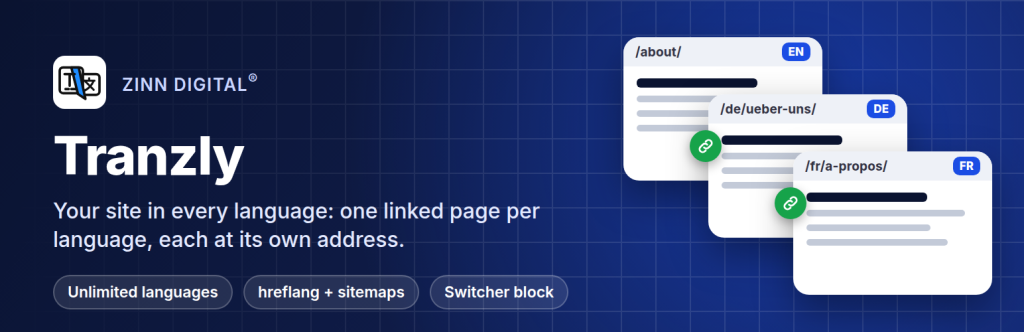
Tranzly, from Zinn Digital, is a multilingual plugin rebuilt from the ground up in its 3.x line. Create the German version of a post and Tranzly creates a real German post — starting as a draft copy of the original’s title, content, excerpt, featured image, template and categories — and links the two. Categories, tags and custom taxonomies get linked translations with their own names, descriptions and slugs, and media alt text, captions, widget text and even the site title and tagline can each carry a translation per language.
Machine translation runs on your own accounts: DeepL free and paid keys and AI models with your own key work in every edition, and the plugin shows you the cost before a run starts. Sites upgrading from Tranzly 2.x get their old translations, language links and DeepL key imported in the background, with anything that cannot be imported reported rather than silently dropped.
Key features
- One real post per language. Translations are native WordPress content, so page builders, themes and SEO plugins handle them the way they handle any post — no separate translation database to query or export.
- AI agents via MCP and REST. Claude, Cursor, VS Code and other MCP-compatible assistants can translate through Tranzly’s own MCP server, signed in as you with an application password and allowed only what you are allowed. The feature can be switched off in Tranzly’s settings.
- Native-speaker styling built in. Every translation follows its language’s house style — French guillemets with correct spacing, German quotation marks, Japanese spacing — across 15 languages, and AI models additionally receive each language’s tone and form of address, drawn from its WordPress.org translation team’s style guide, for 26 languages.
- Unlimited languages, free. Languages are added by WordPress locale code (for example fr_FR) with no language cap in the free edition.
Pricing
The free edition costs $0 and includes unlimited languages, one-post-per-language structure, DeepL (free and paid keys) and AI models with your own key, and cost estimates before you translate. Tranzly Pro Personal is $89 a year or $9.99 a month for 1 site; Business is $189 a year or $19.99 a month for 5 sites; Agency is $369 a year or $39.99 a month for unlimited sites — prices verified on the vendor’s own plugin pages at zinndigital.com, with a 14-day free trial that needs no card. Pro adds Google Cloud Translation and Microsoft Translator, bulk and automatic translation, translation memory, a different engine per language with automatic fallback and monthly spending caps, page-builder translation (Elementor, Beaver Builder, Bricks, Divi, Oxygen, WPBakery), SEO-plugin fields, form and custom-field translation, and full WooCommerce shops including checkout, customer emails and prices shown in the visitor’s currency.
What the pricing page doesn’t make obvious: Pro’s headline features are mostly about scale, not access. DeepL and own-key AI translation — the engines most small sites will actually use — are already in the free edition; what the $89 buys is automation and memory: bulk runs, per-language engine choice with fallback, spending caps, and a translation memory so a string you already paid to translate is never paid for twice. A one-language, hand-reviewed site may never need Pro, while a WooCommerce store almost certainly does, because variations, checkout and customer emails in the order’s language are Pro-only even though a basic product translates like ordinary content for free.
Who it’s for
- Site owners who want translations they own as real content — exportable, editable and builder-compatible, with no overlay service in between.
- Developers and AI-assisted teams — the MCP server, REST API and WP-CLI commands (including a legacy dry-run) fit scripted and agent-driven workflows.
- WooCommerce stores selling across languages on Pro — checkout, emails and visitor-currency pricing are the features that justify the upgrade.
What to watch out for
- Real posts mean real post counts. Five languages means roughly five times the content to manage, back up and keep in sync — the structural honesty cuts both ways.
- The best shop features are Pro-only. Free WooCommerce coverage is product-level; variations, checkout, payment texts and customer emails need Pro at $89 a year or more.
- Translation still costs money at the provider. DeepL and AI usage is billed by those providers on your own keys in every edition; Tranzly’s price never includes the translating itself.
- A fast-moving 3.x rebuild. Version 3.27.62 shipped the same day this review was written — admirably active maintenance, but pin and test updates on a staging site before applying them to a revenue site.
- Research-based review. This review is based on Tranzly’s WordPress.org listing and the vendor’s own site and pricing pages; we have not run it on a live site ourselves.
Pros
- Translations are real WordPress posts — maximum compatibility with builders, themes and SEO plugins.
- Unlimited languages and own-key DeepL/AI translation in the free edition.
- MCP server lets AI agents translate under your own permissions, and can be turned off.
- Per-language typographic style and tone rules applied automatically.
Cons
- Full WooCommerce translation, bulk runs and translation memory are Pro-only.
- Provider translation costs are always extra, in every edition.
- Very rapid release cadence demands staging discipline.
Frequently asked questions
Is Tranzly really free for unlimited languages?
Yes. The free edition adds languages by WordPress locale code with no language cap, and includes DeepL and own-key AI translation. You pay only your translation provider’s usage. Pro, from $89 a year, adds bulk and automatic translation, more engines, translation memory and full WooCommerce and page-builder coverage.
How does Tranzly compare with TranslatePress?
In Tested Intelligence’s own TranslatePress review, TranslatePress translates visually on the front end and stores translations in its own database tables, with its AI edition metering translated words. Tranzly instead creates a real post per language and meters nothing itself — you bring DeepL or AI keys in every edition. Pick TranslatePress for visual in-context editing; pick Tranzly if you want translations that are ordinary, portable WordPress content.
Can an AI agent translate my site with Tranzly?
Yes. Tranzly exposes an MCP server and REST API so assistants such as Claude or Cursor can translate, authenticated with an application password and limited to your own permissions. The vendor notes the MCP feature can be turned off in Tranzly’s AI agents settings if you do not want agent access.