
Quick verdict
AmpCount Review 2026: Legend-First Electrical Takeoff That Counts Every Sheet at Once
Updated November 24, 2026 – Tested Intelligence
Quick verdict: AmpCount is a narrow, honest takeoff tool for commercial electrical estimators: it reads the symbol legend on a vector PDF set, counts every device and fixture on every sheet by geometry, holds uncertain marks out of the count for review, and checks fixture totals against the schedule. It costs a published $149 a month for up to three people, and it deliberately stops there — no conduit routing, no wire sizing, no material pricing and no labor.
What it is
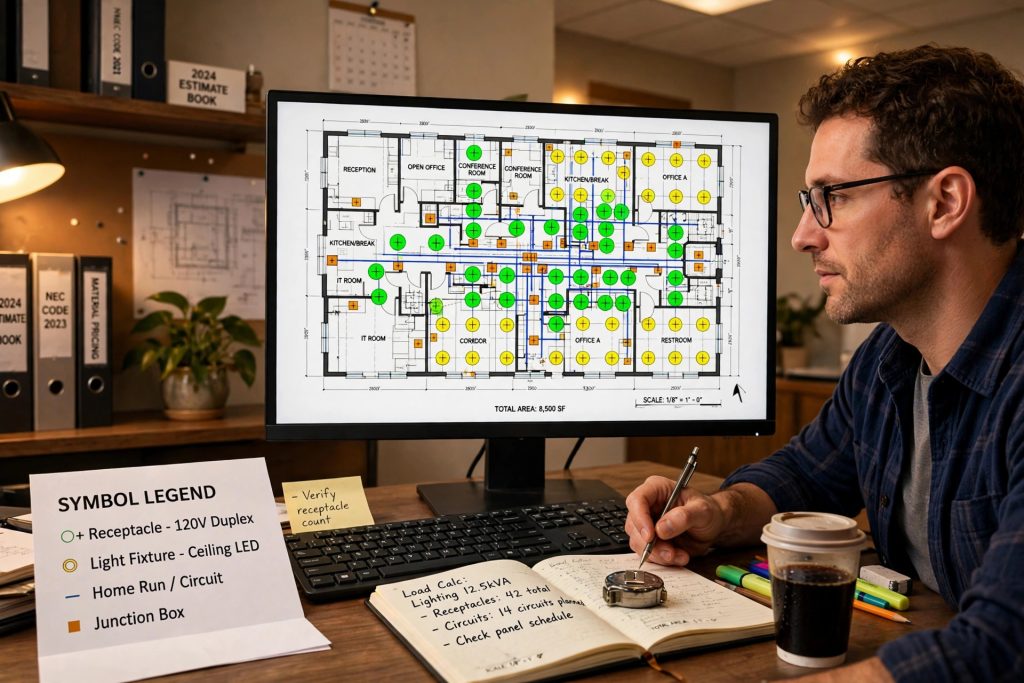
AmpCount is a browser-based electrical takeoff application built only for electrical work, listed on SourceForge as a takeoff tool for commercial electrical contractors and estimators. You upload a vector PDF plan set exported from Revit, AutoCAD or another CAD tool. Instead of asking you to box one receptacle and hunt for matches — the starting point for most auto-count tools — AmpCount starts from the legend itself. It takes every symbol type in the legend and counts that type on every sheet in one pass, giving you a count per type and per sheet, with every quantity linked back to its marks on the drawing so an estimator can audit it.
That design choice is the whole product. General takeoff tools treat electrical symbols as one category among many; AmpCount filters to electrical layers when the PDF has them, reads type tags such as A2 or B1 next to fixtures, and compares the counted fixtures with the fixture schedule. When the schedule says 44 and the plans show 47, it points to the sheet where the difference sits.
Key features
- Legend-first counting: every device and fixture type from the legend is counted on every sheet at once, with no per-symbol template to set up first
- Uncertain-mark review: anything that is not an exact geometric match stays out of the count in an uncertain list until an estimator confirms or dismisses it
- Fixture schedule check: counted fixtures are compared against the fixture schedule by type tag, with the disagreeing sheet identified
- AI text reading: a vision model reads sheet titles, legend names and fixture schedules, and can offer a second opinion on doubtful marks
- Revision comparison: compare plan revisions, and add or dismiss marks as the set changes
- Export for pricing: quantities and assembly-code worksheets export to Excel or CSV for use in your existing pricing and labor workflow
- Browser-only delivery: runs on Windows or Mac with nothing to install, and no sheet limits on the published plans
Pricing
AmpCount publishes its price: $149 a month or $1,490 a year, for a team of up to three people, with no sheet limits. The monthly plan cancels anytime, and the vendor offers a full refund within 14 days. There is no free trial; the 14-day refund is the trial. That is a team price, not a per-seat price — three estimators on AmpCount list at $1,490 a year, compared with the per-user annual pricing most electrical suites and general takeoff tools use.
What the pricing page doesn’t make obvious: the AI does not do the counting. AmpCount’s own AI guide is unusually blunt about this: a vision model helps read titles, legends and schedules, but it never confirms a mark or produces a count — the counting is plain geometry against the legend symbols, and SourceForge’s listing says the same, that optional AI may offer a second opinion on doubtful marks but does not confirm or produce counts. Coverage that calls this an AI counter gets the mechanism wrong, and the distinction matters: a geometric match is auditable in a way a model’s guess is not. A second gotcha sits in the file requirement: AmpCount works on vector PDFs only. Scanned or raster sheets are identified as unsupported, so a set that arrives as scans has to be re-exported from CAD before it can be counted at all.
Who it’s for
Commercial electrical contractors and estimating teams of up to three who lose their takeoff hours to counting devices and fixtures across large, repetitive plan sets — offices, schools, hospitals and multi-floor work where the same fixtures repeat floor after floor. It fits best alongside an existing estimating suite: AmpCount produces checked counts, and your current system still does the assemblies, material pricing and labor.
Who should skip it
Skip it if you need the second half of takeoff. AmpCount does not price materials, calculate labor, route conduit or size wire — by design, not by roadmap accident. Estimators who want routed branch circuits and voltage-drop work in the same tool should look at a routed-takeoff product instead. Skip it also if your plan sets routinely arrive as scanned PDFs, or if you are a solo estimator who only needs occasional counts and can absorb them inside a general takeoff tool you already own.
Pros
- No setup per symbol: the legend starts the count, so a whole set is counted in one pass instead of one boxed template at a time
- Nothing counted silently: uncertain marks are held for review rather than folded into the bid quantity
- Built-in schedule check catches the classic mismatch between fixture schedule and plan count before bid day
- Published team pricing — $149 a month for up to three people, cancel anytime, 14-day refund — in a category dominated by quote-only suites
- Every count traces to marks on the sheet, so a second estimator can verify a number instead of trusting it
Cons
- Vector PDFs only: scanned or raster plan sets are unsupported
- Counts only — no conduit, wire sizing, material pricing or labor, so another estimating system is still required
- No free trial; evaluation runs on the 14-day refund window
- A young, small product next to decades-old electrical suites, with a thin public review record so far
- Team price covers up to three people; larger estimating departments should confirm how additional users are handled before assuming the headline price scales
FAQ
How much does AmpCount cost?
$149 a month or $1,490 a year for up to three people, with no sheet limits, published on the vendor’s site. The monthly plan cancels anytime and carries a full refund within 14 days. There is no free trial.
Does AmpCount’s AI count the devices?
No — and the vendor says so itself. A vision model reads sheet titles, legend names and fixture schedules and can give a second opinion on doubtful marks, but the counts are produced by geometric matching against the legend symbols. Marks that are not exact matches wait in an uncertain list for an estimator to confirm.
Can AmpCount replace Accubid or IntelliBid?
No. AmpCount covers the counting step before those suites: it turns a vector PDF set into checked device and fixture counts and exports them to Excel or CSV. Material databases, assemblies, labor units and supplier pricing still live in your estimating system.
Bottom line
AmpCount is the rare takeoff tool that does less on purpose and says exactly where it stops. For a small commercial electrical estimating team drowning in device counts, legend-first counting, an uncertain-mark review list and a fixture schedule check at a published $149 a month for three people is a clean, low-risk buy — as long as your sets are vector PDFs and you understand you are buying counts, not an estimate.